FESTIVE LIGHTS / MADE FOR MAC

Your screen. With a twinkle.

Christmas and holiday string lights for your Mac menu bar, Dock, and screen edges. Choose a scene, customize the glow, and schedule a little everyday atmosphere.
macOS 14.5+ · Available on the Mac App Store
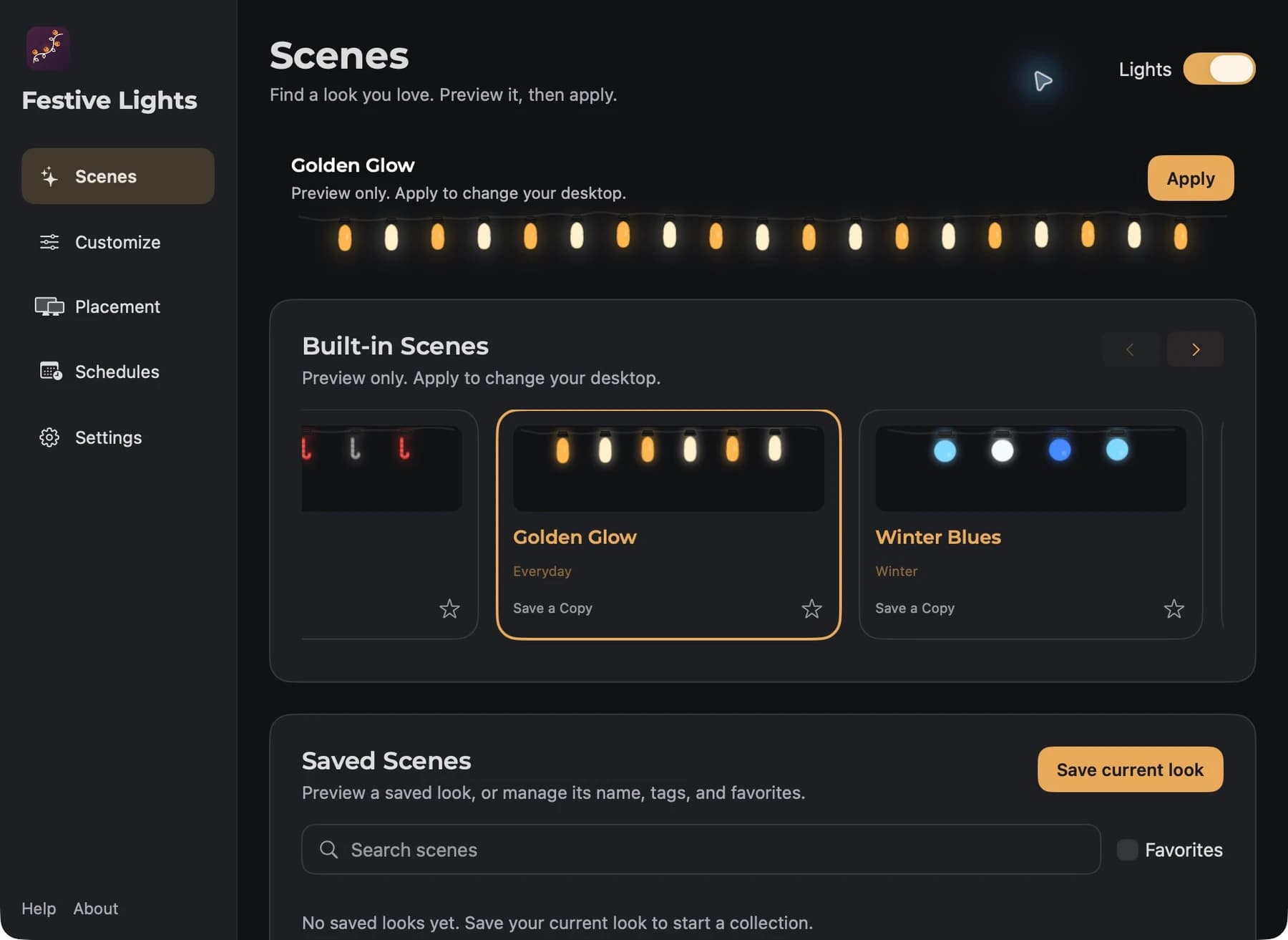
Actual Festive Lights Scenes window with Golden Glow selected in the native live preview
For slow evenings and one more chapter.
EVERY LITTLE DETAIL. YOURS.

Find your kind of bright.

Classic bulbs or a sky full of stars. Your favourite colours, just the right glow, and a little movement when the mood takes you.
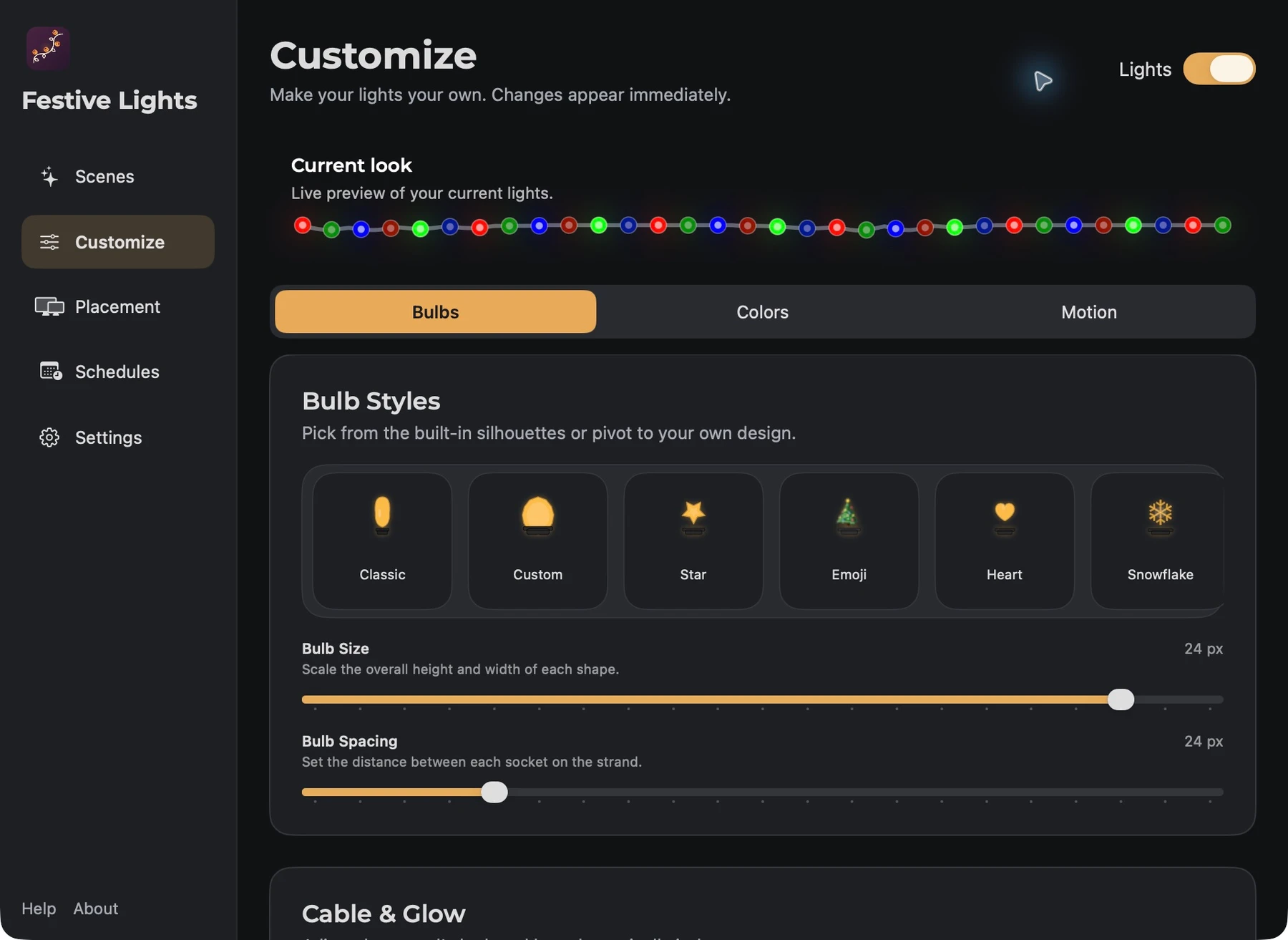
Change the shape, size, and spacing. Pick a palette. Keep your lights steady, let them blink, or explore more motion with Pro.
Classic, Star, and LED String are free. Pro adds more shapes, custom outlines, cable and glow controls, and additional motion patterns.
The native bulb picker with shape, size, spacing, cable, and glow settings
A LITTLE GLOW. RIGHT WHERE YOU WANT IT.

Find your bright side. Or all four.

Follow the Dock. Frame the menu bar. Wrap the whole screen. Every connected display can have a look of its own.
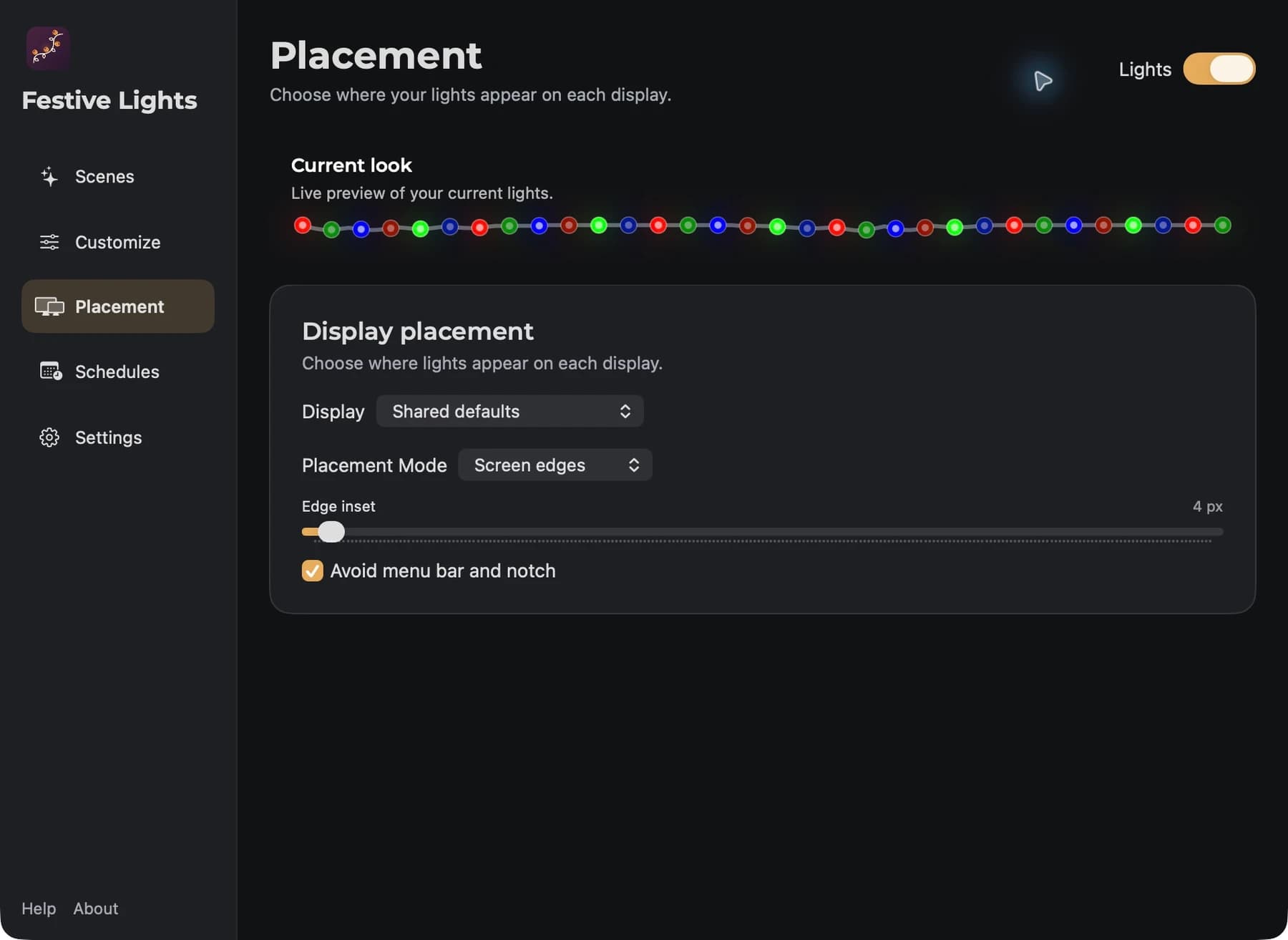
Actual Festive Lights Placement window with display selection, Screen edges placement, edge inset, and notch avoidance
01

A place for every display.

Share one setup or give each connected screen its own placement and dimensions.
02

Room for your menu bar.

Adjust the inset and menu-bar avoidance. On a notched Mac, the cable can follow the camera’s outline.
03

Just above the everyday.

Dock placement follows your Dock. When no Dock space is reserved, lights use the screen edges and return when the Dock does.

THE EVENING HAS A SETTING.
18:00

Time to get cosy.

Let your favourite scene welcome the evening. Set a time, choose your days, and leave a little glow to look forward to.
Schedules are free. They run locally while Festive Lights is open, including when Settings is closed.
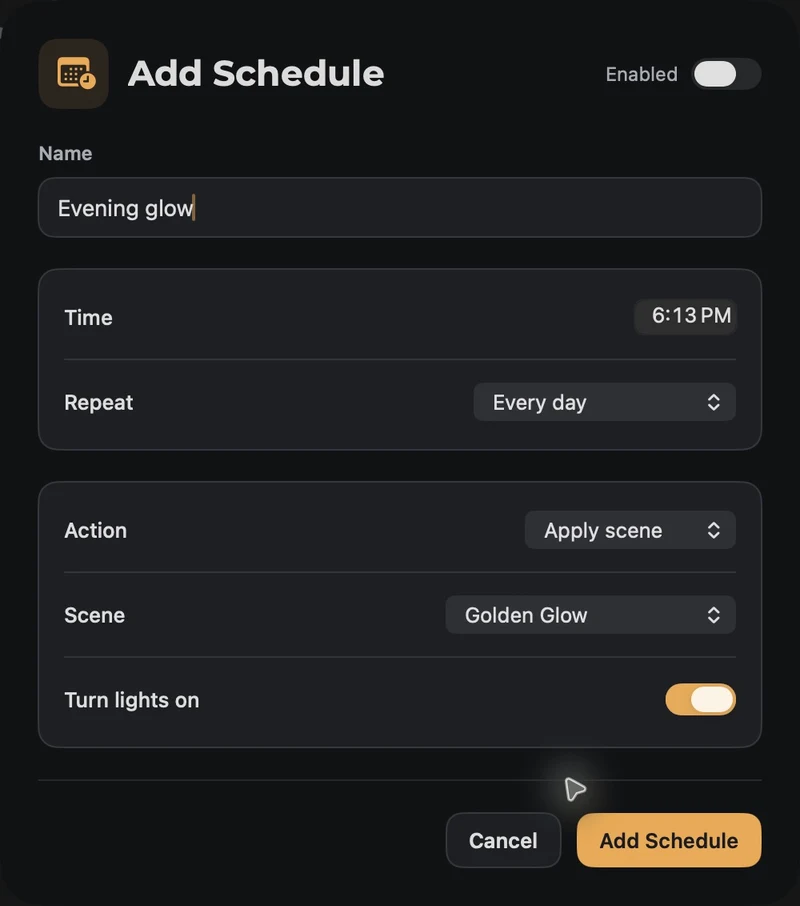
Actual Festive Lights schedule editor set to Evening glow, repeating daily with the Golden Glow scene
Daily, selected weekdays, or one time. Occurrences missed while the app is quit or your Mac is asleep are skipped.

More atmosphere. Less to think about.

Your Mac. Your shortcuts.

Turn lights on or off and apply scenes with Apple Shortcuts. Add global keyboard shortcuts for your everyday favourites.

Quietly at home.

A menu bar companion, with optional launch at login. Your setup stays close while your work takes the spotlight.

A gentler kind of glow.

Reduce Motion keeps lights steady. Low Power Mode saves energy, and animations pause when your display sleeps.
Golden Glow captured from the real Festive Lights live preview

Go on. Brighten your little corner.

Start with everyday lights, scenes, schedules, and Shortcuts. Make it even more yours with Pro.
Available on the Mac App Store · macOS 14.5+
Ahhzo
by Rares Popa
Designing and building polished digital products, mobile apps, and open-source web experiences.
Rares Popa
Available for freelance work
Made with
and
by Rares Popa
© 2026 Ahhzo. All rights reserved.